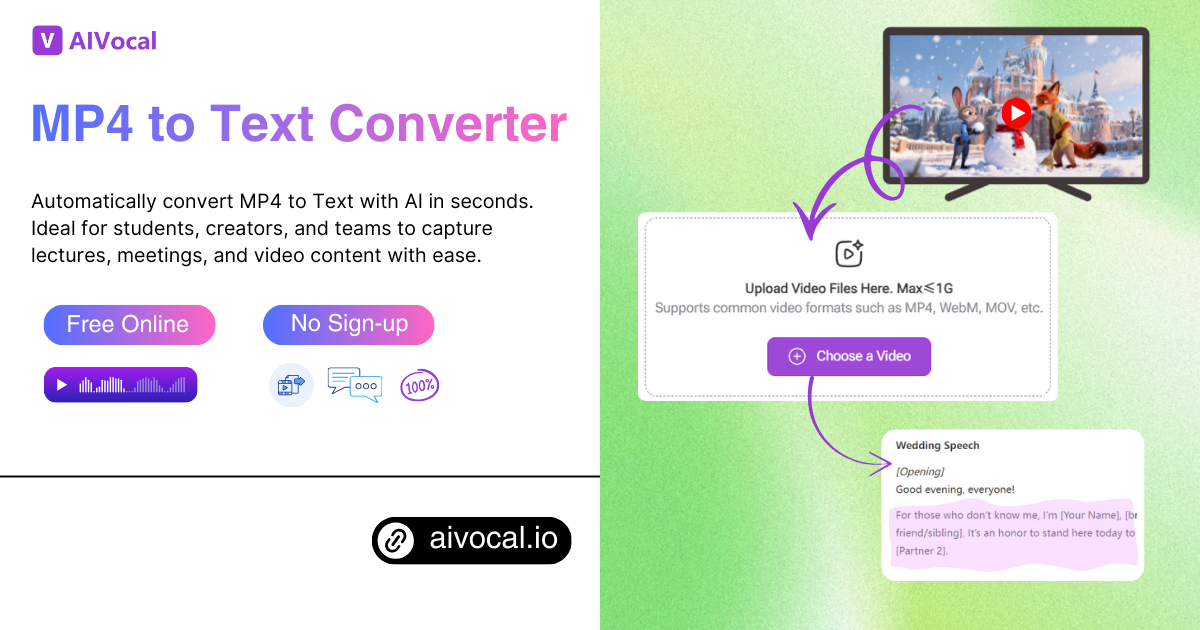
Free AI MP4 to Text ConverterConvert any MP4 video into accurate, editable text in seconds - fast, simple, and ready for your workflow.
Click and upload MP4 Files Here
Supports common video formats such as MP4, WebM, MOV, etc.

Convert MP4 to Text with AI - Free Online, No Sign-up

Use our MP4 to Text tool to turn videos into accurate transcripts. Great for marketers, educators, and anyone who needs quick, editable text.

Convert MP4 Now
Convert MP4 to Text with AI - Free Online, No Sign-up

What is AI MP4 to Text Converter?

AI MP4 to Text converter is an online tool that turns the audio from a video file into readable words. It uses AI speech recognition to detect spoken content and produce clear text that you can copy, edit, or save. This helps you reuse video material for notes, subtitles, research, and content creation without manual typing. It is useful for meetings, interviews, tutorials, lectures, and many other everyday tasks where quick transcripts are needed.

Why Choose Our AI MP4 to Text?

Our MP4 to Text Converter gives you a smooth way to turn video into clean, readable text. It works fast, supports many file types, and delivers accurate results even with long recordings. Whether you handle interviews, lectures, or content drafts, this tool helps you save time, stay organized, and easily repurpose your video material.

Struggling to Turn Long MP4 Files into Clear Text

Many people spend too much time replaying long videos just to capture a few key lines. When audio is unclear or the content is dense, the process becomes slow and frustrating. Tasks like writing summaries, preparing notes, and organizing ideas get delayed. A simple MP4 to Text converter helps you extract words quickly, keep information accurate, and avoid manual transcription stress.

Key Features That Make MP4 to Text Reliable

Our tool offers a smooth way to convert MP4 to Text with high accuracy, flexible export options, and helpful editing features that fit many daily workflows.

AI-Powered Conversion with High Accuracy

The system uses advanced speech recognition to capture words from MP4 videos with strong precision. It reduces manual correction time and helps you turn long footage into clear text for study, research, or content drafts.


Multiple Export Formats for Any Workflow

You can download your transcription as TXT, DOCX, or PDF, making it easy to store, edit, or share. This flexibility supports different tasks, from writing notes to creating reports or preparing documents for teams.

Online Editing with Smart Controls

Edit your text directly in the browser without extra tools. You can fix lines, adjust segments, and keep timestamps aligned with each part of the video, allowing you to polish your final file quickly and stay organized.

How to Use Our MP4 to Text Converter in 3 Easy Steps

Turning your video into clear, editable text is fast and simple. Just follow these three steps to upload, convert, and polish your transcription for any purpose.

Step 1: Upload Your Video File

Select the MP4 video you want to convert and upload it to the platform. The tool supports large files and multiple formats, making it easy to start your transcription without extra software.

Step 2: Extract and Convert

Once uploaded, the MP4 to Text Converter automatically transcribes your video. It captures speech accurately, organizes sentences, and synchronizes timestamps so you get a ready-to-edit text file quickly.

Step 3: Review, Edit, and Download

Check the transcription, make corrections, add segments, or adjust timing directly online. When finished, download your file in TXT, DOCX, or PDF format to use in notes, reports, or content creation.

Start Converting Your MP4 Videos Today

Easily turn any MP4 video into accurate, editable text. Save time, capture key points, and organize your content without manual transcription. Fast, reliable, and ready to use online.

Generate Transcript Now →

What Users Say About Our MP4 to Text Tool

J.K. avatar

J.K.

Content Creator

This MP4 to Text converter has completely changed how I handle video content. I no longer spend hours transcribing interviews or lectures manually. The AI transcription is fast, highly accurate, and keeps timestamps perfectly in sync. It allows me to focus on editing and creating summaries instead of typing every word. I can also export in multiple formats, which fits my workflow perfectly and saves me a lot of time when preparing reports or study notes..
M.T. avatar

M.T.

Research Analyst

I’ve tried several tools to convert MP4 to text, but this one stands out. It captures clear audio from different speakers, even in long videos, without losing accuracy. The online editing feature is a lifesaver because I can adjust text, add segments, and fix errors immediately. Exporting to DOCX or PDF makes it easy to share with my team. This tool truly simplifies video transcription for anyone who deals with meetings, lessons, or research content.
S.L. avatar

S.L.

Educator

Using this MP4 to Text converter has been a huge time-saver for my work. I upload recorded webinars, and within minutes, I get an editable transcript ready to review. The AI transcription is reliable, and the tool handles multiple file formats smoothly. I can quickly highlight key points and create summaries for my reports. It’s a practical solution for anyone needing precise text from video files without wasting hours on manual typing.
R.A. avatar

R.A.

Student

This MP4 to Text tool is fantastic for turning lecture videos into notes. The accuracy is impressive, and it keeps the timing aligned with the original audio. I can correct small errors directly online, and exporting to PDF allows me to share materials with students easily. For anyone who wants to convert video to text efficiently, this tool provides speed, clarity, and convenience all in one place.
D.P. avatar

D.P.

Project Manager

I rely on this MP4 to Text converter for creating content summaries from recorded meetings. It accurately transcribes discussions, keeps timestamps, and supports different formats for exporting. Editing online is seamless, so I can adjust text before sharing. It has improved my workflow drastically and is perfect for professionals who need clear, editable transcripts without manual effort.
L.H avatar

L.H

Journalist

Converting video to text has never been easier. This tool handles long MP4 files without slowing down and produces accurate transcripts quickly. I appreciate the online editing features, the multi-format export options, and the reliable AI transcription. It’s perfect for journalists, educators, and content creators who want to save time while getting precise text from video files.

Frequently Asked Questions About MP4 to Text